
💳Account & Billing
Invoice Downloads
Access and download your billing history and invoices.
Downloading invoices
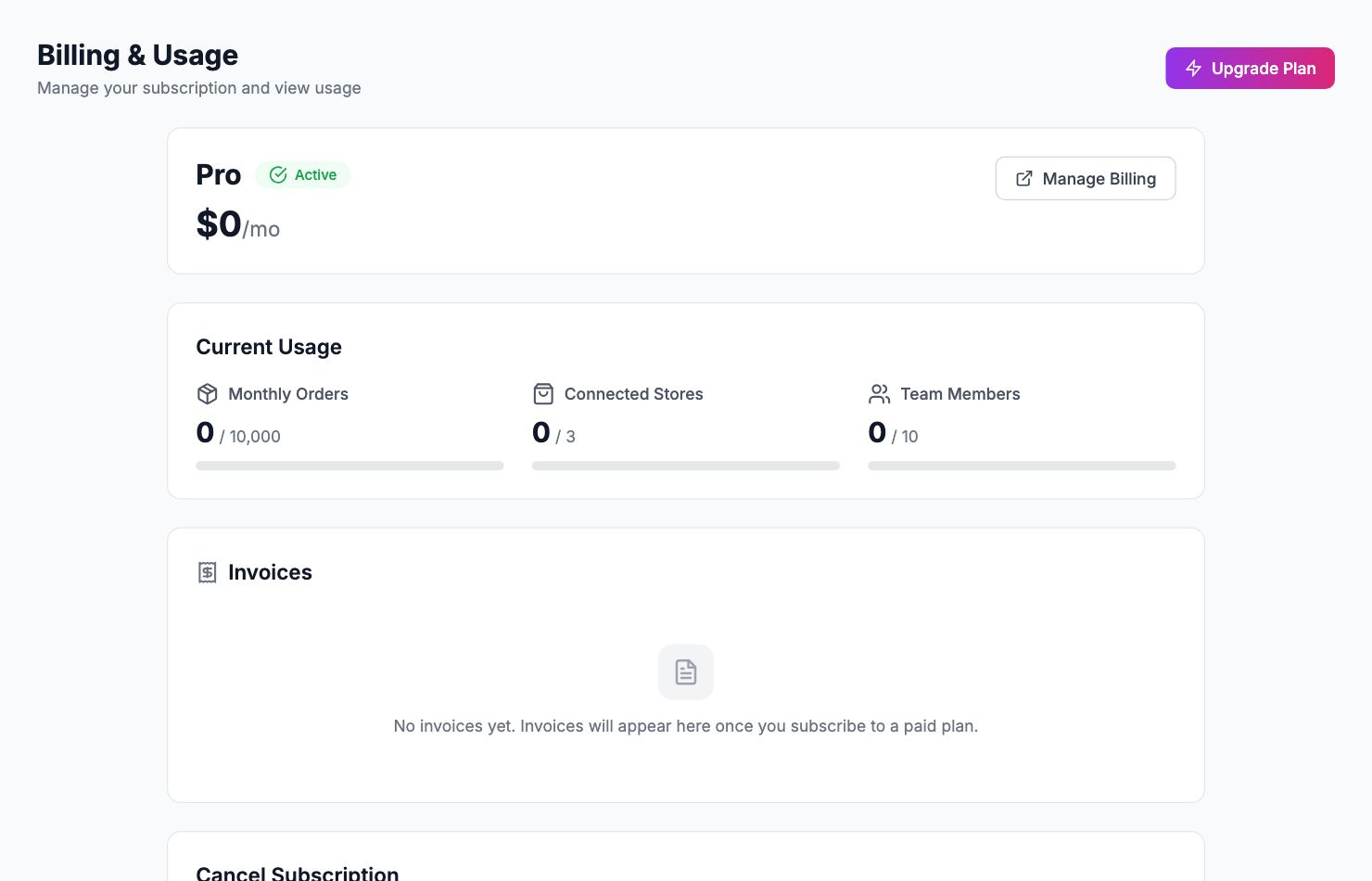
Accessing your invoices
Go to Settings → Billing and scroll to the Invoices section. Every charge is listed with the date, amount, and status. Click Download PDF next to any invoice.
Adding company details to invoices
If you need your company name, address, or VAT number on invoices, go to Settings → Billing → Billing information and fill in your details. These appear on all future invoices. To add them to past invoices, contact support at hello@shopimize.com.
Missing an invoice
If you were charged but the invoice isn't in the list, check your email for a receipt — it may be in spam. If it's genuinely missing, contact us at hello@shopimize.com with the approximate date and amount.
Related Articles
- Plans & PricingCompare plans and understand what's included in each.
- Update Payment MethodHow to change or update your billing information.
- Cancel or Downgrade PlanSteps to cancel your subscription or move to a lower plan.
- Managing Team Members & RolesInvite team members, set permissions, and manage access.
- Understanding Your Plan Usage & LimitsWhat counts toward your order limit and what happens when you reach it.
- Account Security & 2FAEnable two-factor authentication and manage your account security.