
AI-Powered Insights
How the AI Insights feature works and which pages support it.
AI-Powered Insights
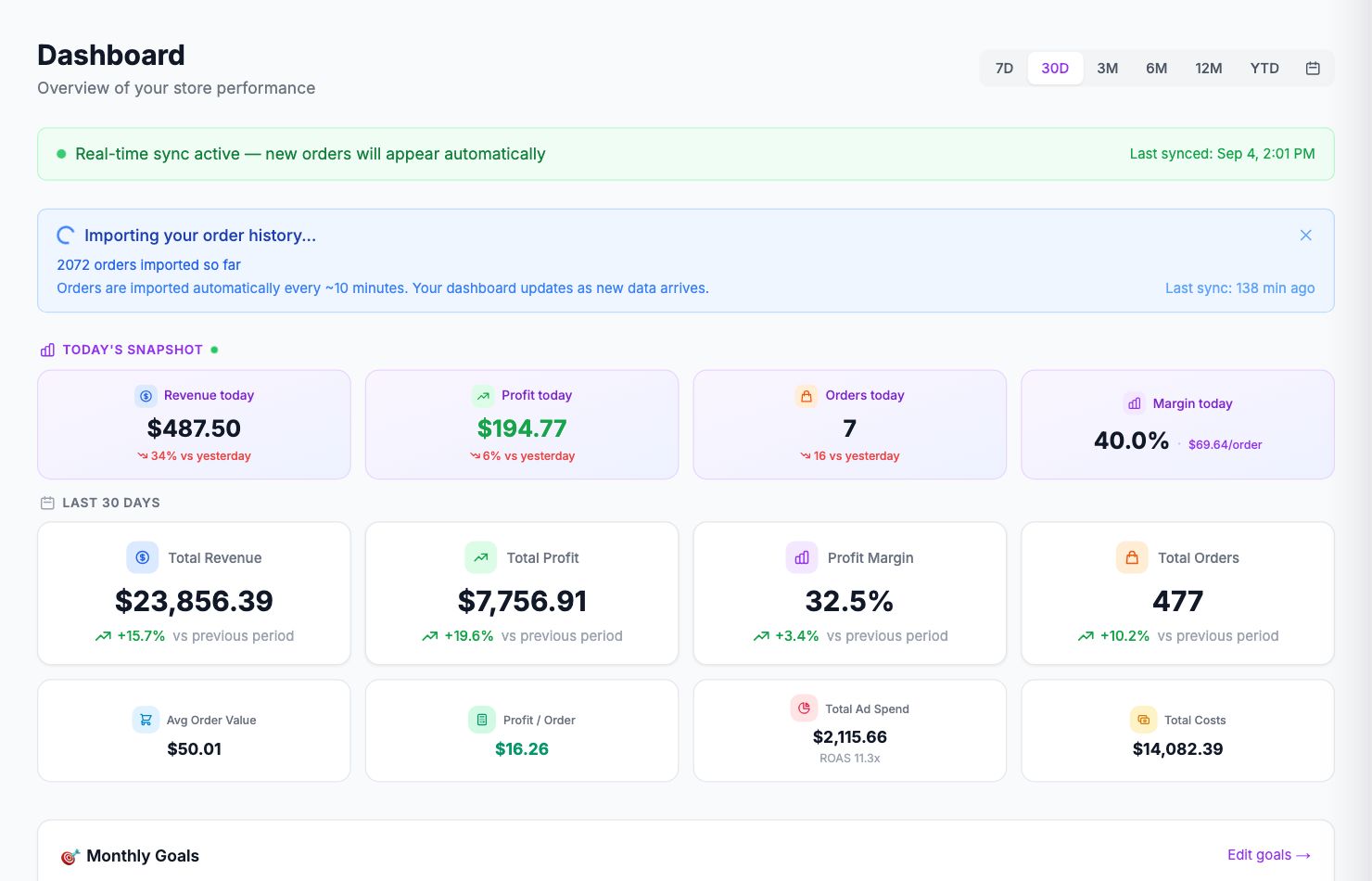
Several pages in Shopimize have an AI Insights button that analyzes the data currently on screen and surfaces observations and recommended actions. It reads your actual numbers — not a generic template.
Where it's available
- Dashboard — profit trends, unprofitable orders, best and worst days
- P&L Report — margin trends, cost driver analysis, period comparisons
- Products — portfolio health, loss-making products, pricing risk signals
- Orders — order-level patterns, unprofitable segments
- Customers — LTV analysis, retention patterns
- Channels — channel-by-channel performance comparison
- Costs — cost structure analysis
- Google Ads and Meta Ads — campaign-level profit analysis
How to use it
Click the AI Insights button on any of those pages. The analysis generates in a few seconds and returns a headline finding plus a short list of specific, actionable recommendations based on your data.
The output is different every time because it's reading your live data. A store with 12% net margin will get different observations than one with 35%.
Rate limit
AI Insights has a 3-minute cooldown between uses on the same page. If you've just updated your data and want a fresh analysis, wait a moment and try again.
What it can and can't do
The AI reads the numbers and identifies patterns — useful for flagging things you might miss when you're in the weeds. A product that looks fine by revenue but is quietly destroying profit at the margin level. A campaign with strong revenue ROAS but negative profit ROAS.
It doesn't know your supplier relationships, your strategic goals, or context outside of what's on screen. Treat the output as a starting point for investigation, not a final answer.
Related Articles
- Product Performance AnalyticsIdentify your most and least profitable products.
- Cost Tracking & ManagementAn overview of how Shopimize tracks every type of cost.
- Marketing ROI AnalysisMeasure real return on ad spend across all your channels.
- Profit & Loss ReportsGenerate and export P&L reports for your store.
- Customer Lifetime ValueUnderstand which customers are most profitable over time.
- Orders AnalyticsBrowse and filter orders with per-order profit and margin data.