
Cost Tracking & Management
An overview of how Shopimize tracks every type of cost.
Cost Tracking & Management
Shopimize breaks costs into five categories. Each one feeds into the profit formula, so accuracy here directly affects every number you see.
Product costs (COGS)
The cost you pay per unit for each product. Entered manually in Costs → Product Costs or imported via CSV. Tracked at the variant level for precision.
Shipping costs
What it actually costs to ship each order to the customer. Pull this automatically from a connected shipping carrier (ShipStation, Easyship, SendCloud, etc.) or set a flat cost per order in Costs → Shipping.
Ad spend
Automatically pulled from connected ad platforms — Meta Ads, Google Ads, TikTok Ads, Pinterest Ads, Microsoft Ads, and Snapchat Ads. Visible in aggregate in Costs → Marketing, with per-platform breakdowns in each platform's detail page.
Transaction fees
Payment processing fees (Stripe, PayPal, Shopify Payments) and marketplace commissions. Configure them in Settings → Commissions. Fees can be set as a percentage, a flat amount per transaction, or both.
Custom expenses
Fixed or variable costs that don't fit the other categories — subscriptions, agency retainers, packaging costs, etc. Add them in Costs → Manual Expenses. You can enter them as a one-time amount or as a recurring monthly charge.
The cost breakdown
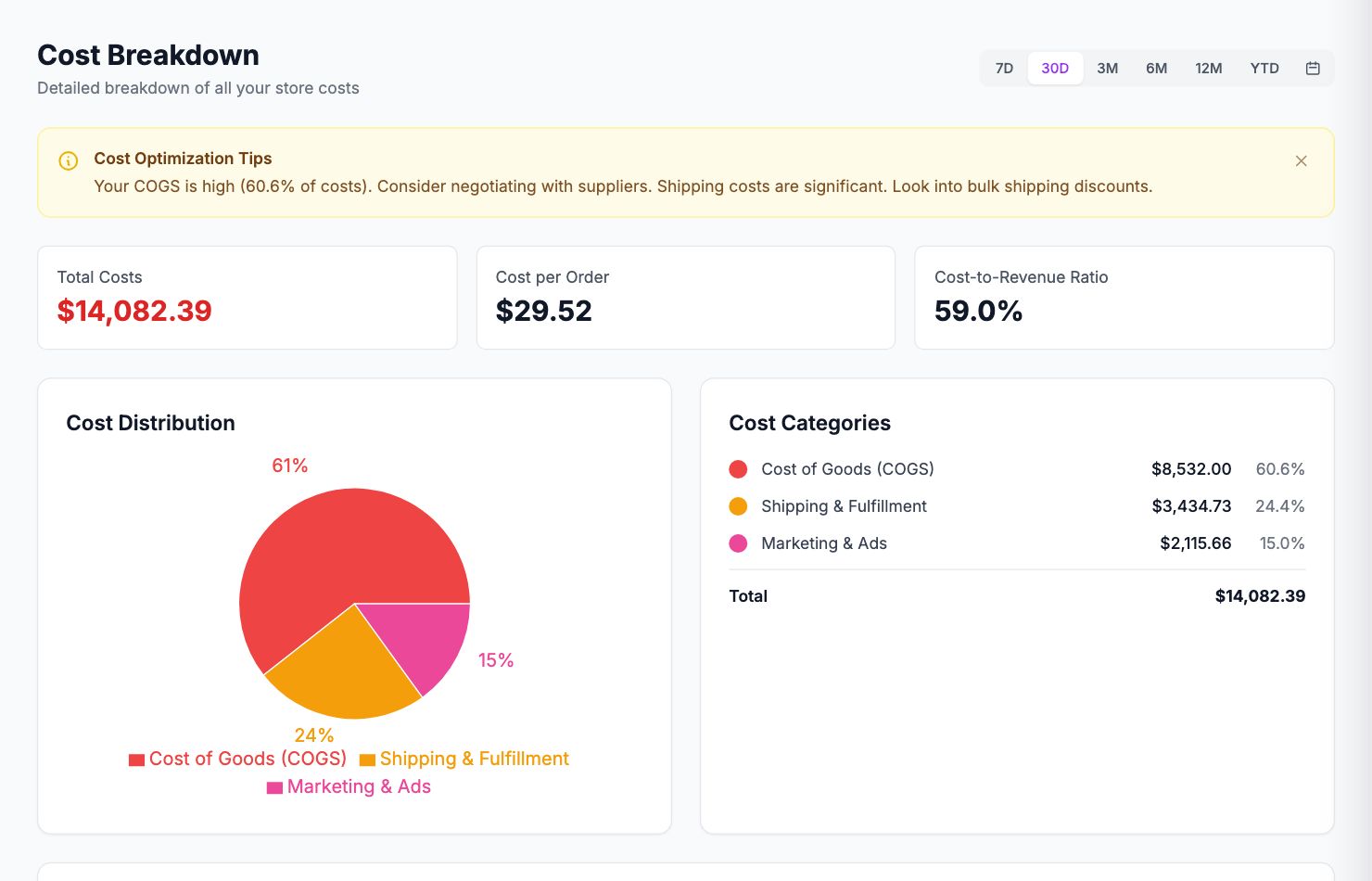
Costs → Breakdown shows all five cost types side by side for the selected period, so you can see at a glance where your money is going.
Related Articles
- Product Performance AnalyticsIdentify your most and least profitable products.
- Marketing ROI AnalysisMeasure real return on ad spend across all your channels.
- Profit & Loss ReportsGenerate and export P&L reports for your store.
- Customer Lifetime ValueUnderstand which customers are most profitable over time.
- Orders AnalyticsBrowse and filter orders with per-order profit and margin data.
- Channel PerformanceCompare profit and revenue across your sales channels.