
Product Performance Analytics
Identify your most and least profitable products.
Product Performance Analytics
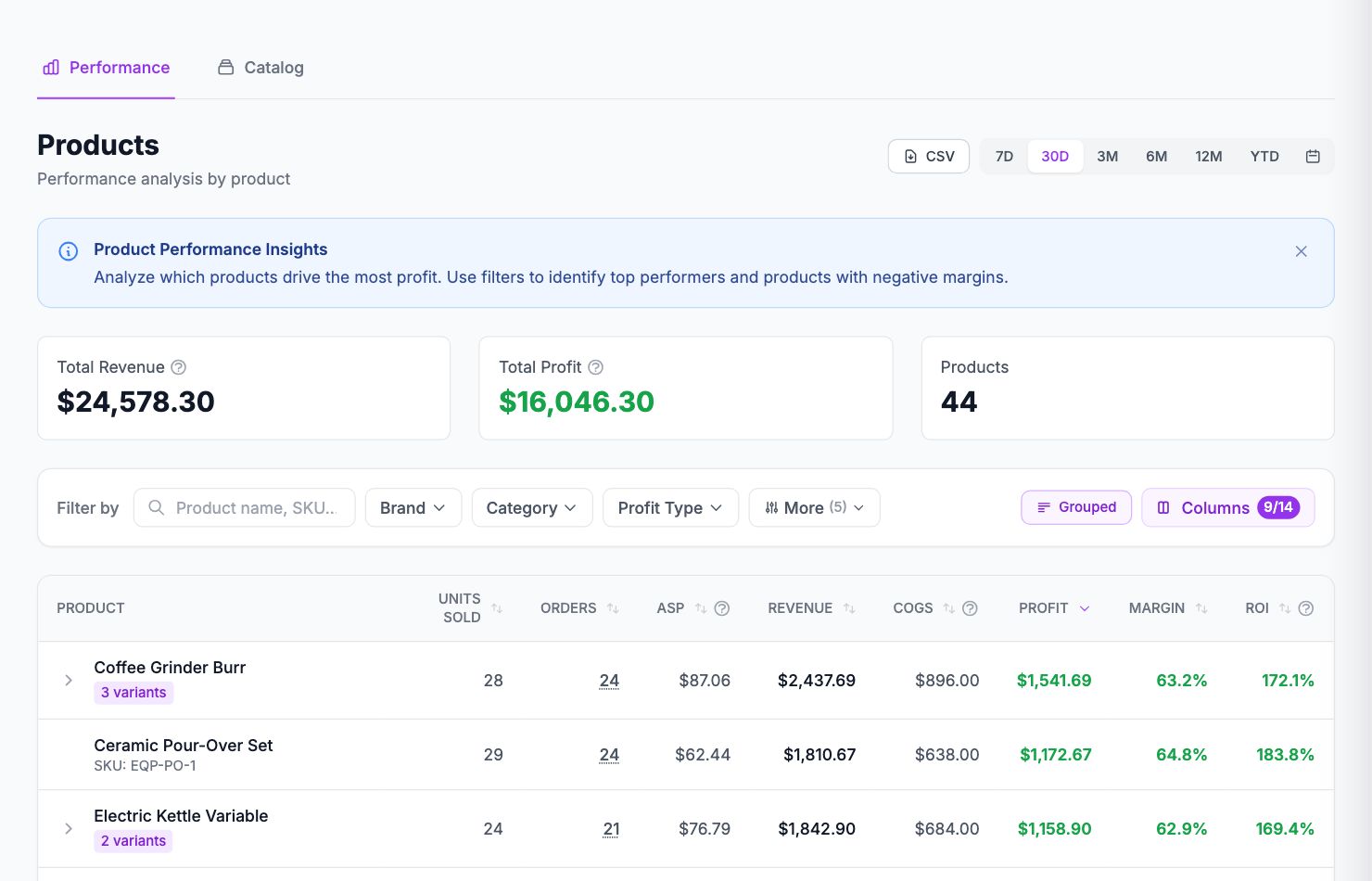
The products page ranks every item in your catalog by profitability, giving you a clear view of what's actually making you money and what isn't.
What you'll find
Each product row shows revenue, units sold, COGS, gross margin, and net profit for the selected period. You can sort by any column — sorting by net profit descending is a good starting point.
Products with missing costs
If a product has no COGS entered, its margin will show as 100% and its profit will equal revenue. These rows are highlighted in yellow. Go to Costs → Product Costs and fill in the missing data before drawing conclusions.
Variant-level detail
Click any product row to expand it and see the same data broken down by variant. If you sell a product in multiple colors or sizes with different cost structures, this is where you'll see which variants are dragging down your margins.
Using this data
Products with high revenue but low or negative margin are worth immediate attention. Common causes: underpriced items, high shipping costs for heavy products, or COGS that have risen since you last updated them.
Products with high margin but low volume are candidates for more ad spend — they're profitable, they just need more sales.
Related Articles
- Cost Tracking & ManagementAn overview of how Shopimize tracks every type of cost.
- Marketing ROI AnalysisMeasure real return on ad spend across all your channels.
- Profit & Loss ReportsGenerate and export P&L reports for your store.
- Customer Lifetime ValueUnderstand which customers are most profitable over time.
- Orders AnalyticsBrowse and filter orders with per-order profit and margin data.
- Channel PerformanceCompare profit and revenue across your sales channels.