
Currency and Number Formatting
Where the currency symbol comes from, and how to change number formatting.
How amounts are displayed
Two separate things decide what a figure looks like: the currency, which comes from your store, and the number format, which is your own preference.
The currency comes from the store
Shopimize displays amounts in the currency the connected store reports, and does not convert between currencies. A store selling in dollars is reported in dollars whatever language you read the interface in, and there is no setting that changes the symbol.
If the currency looks wrong, it is the store's own currency that needs correcting at the source, not a display option.
Choosing a number format
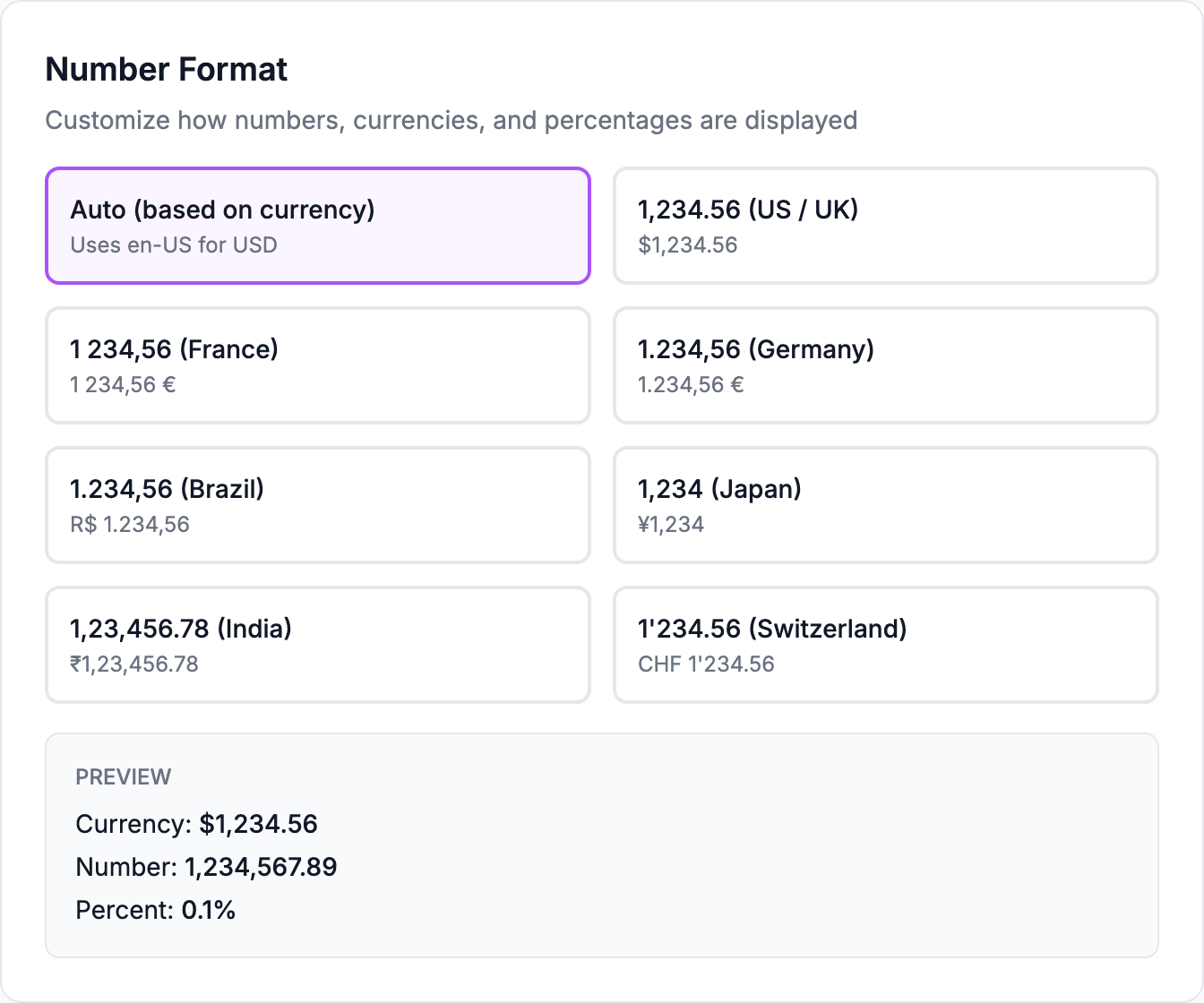
Settings → Profile → Number Format controls the thousands separator and the decimal mark. Leave it on Auto to derive them from the store currency, or pick a specific format if you would rather read your figures another way.
The example beside each option is illustrative. What the option actually produces for your store is shown in the preview underneath, which uses your real currency.
It is a per-browser preference
The choice is stored in your browser, not on your account. It does not follow you to another computer, and each team member picks their own without affecting anyone else.
Related Articles
- Product Performance AnalyticsIdentify your most and least profitable products.
- Cost Tracking & ManagementAn overview of how Shopimize tracks every type of cost.
- Marketing ROI AnalysisMeasure real return on ad spend across all your channels.
- Profit & Loss ReportsGenerate and export P&L reports for your store.
- Customer Lifetime ValueUnderstand which customers are most profitable over time.
- Orders AnalyticsBrowse and filter orders with per-order profit and margin data.