
Onboarding Wizard Walkthrough
A step-by-step walkthrough of the onboarding wizard.
The onboarding wizard
When you first log in, Shopimize runs a short wizard to help you get set up. It walks you through the four things you need before the numbers make sense.
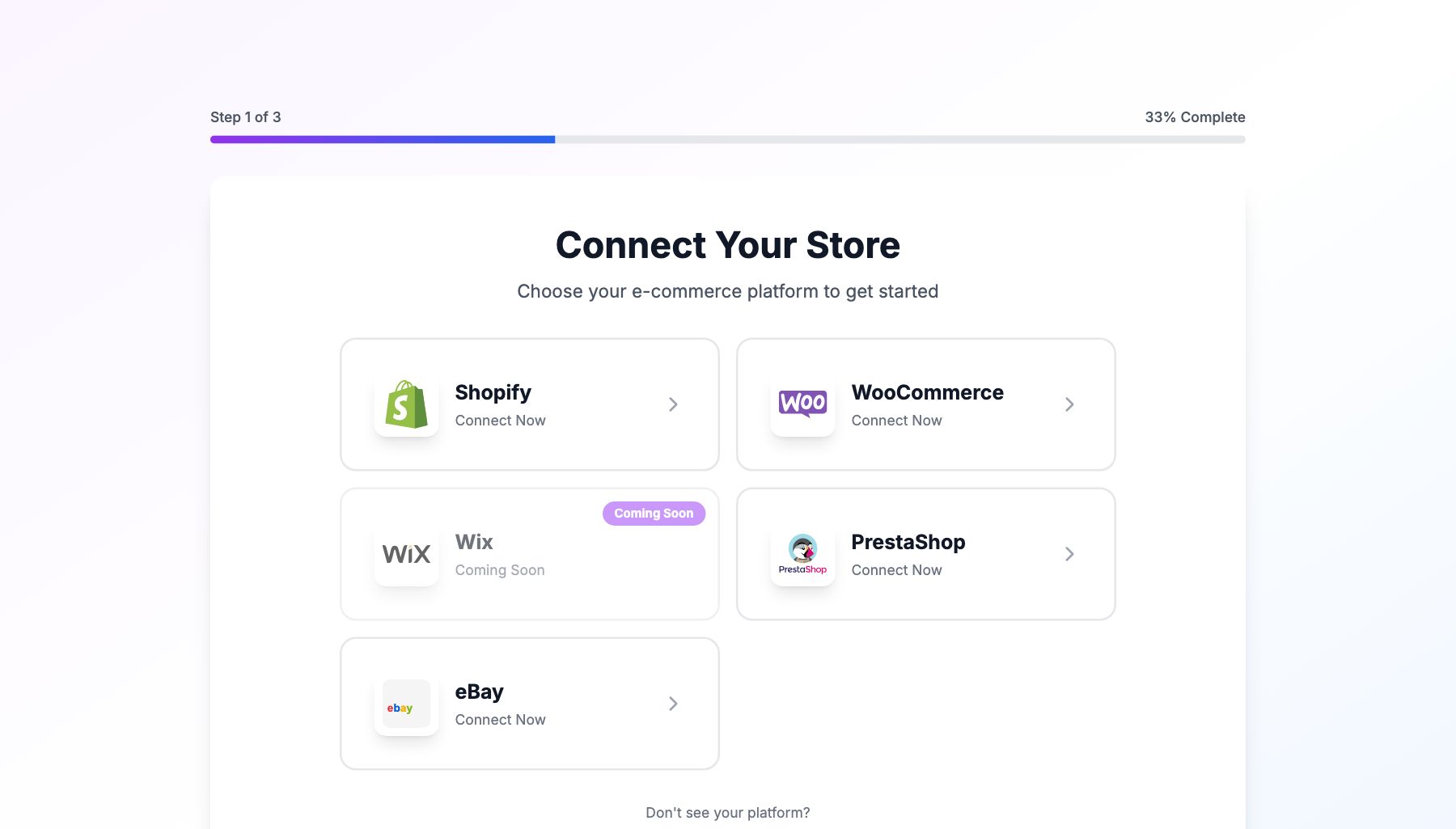
Step 1: Connect your store
Pick your e-commerce platform and complete the connection. This is the only required step to unlock the rest of the app. Until your store is connected, the dashboard shows placeholder data.
Step 2: Add your product costs
You'll see your product list pulled from your store. Enter the cost per unit for each product. You can skip this for now, but profit and margin figures won't be accurate until it's done.
Step 3: Connect your ad platforms
Select whichever platforms you advertise on and connect them. Skip if you don't run ads.
Step 4: Set up shipping costs
Enter how much it costs you on average to ship an order, or connect a shipping carrier for automatic tracking.
After the wizard
You land on your main dashboard. You can always go back and complete any skipped steps — click Getting Started in the sidebar, or navigate directly to Integrations or Costs. The wizard progress shows in the sidebar until all four steps are complete.
Related Articles
- Quick Start GuideGet Shopimize up and running in under 5 minutes.
- Connect Your StoreHow to connect Shopify, WooCommerce, PrestaShop, or Wix.
- Invite Team MembersAdd teammates so they can access your store's analytics.
- Understanding Your DashboardWhat each metric means and how to read the main dashboard.
- Adding Your Product Costs (COGS)How to enter product costs manually or via CSV import.
- Your First Profit CheckHow to verify your profit data is accurate after setup.