
Data Not Syncing
What to check when your Shopify orders or ad data stops updating.
Data not syncing
If orders, products, or ad data has stopped updating, here's how to diagnose it.
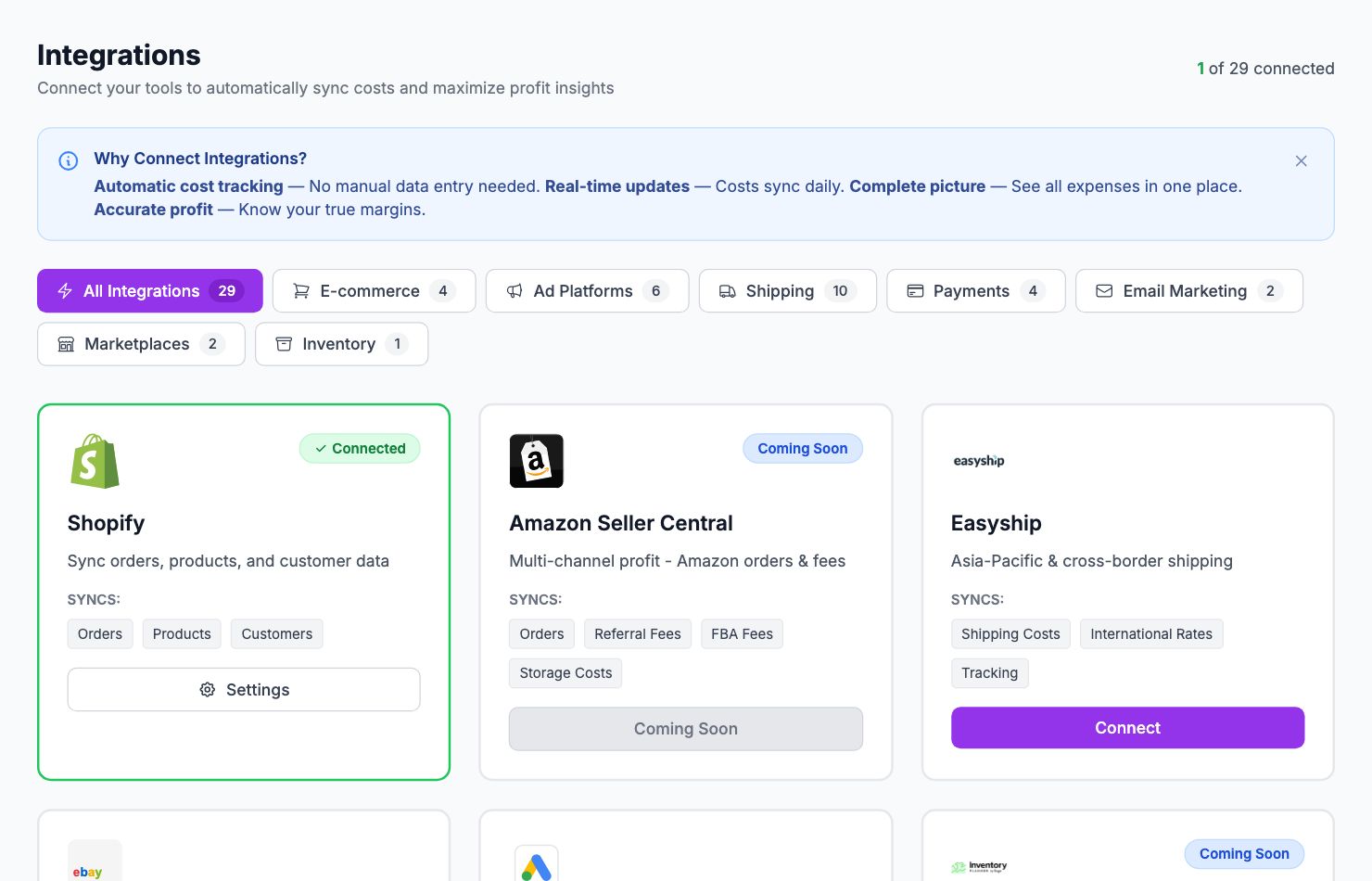
Check integration status
Go to Integrations. Each connected platform shows a status indicator — green means syncing, red or yellow means there's an issue. Click the problem integration to see the specific error.
Token expired or permission revoked
The most common cause. Most OAuth tokens expire or get revoked when you change your password or revoke app access. Fix: click Reconnect on the integration and complete the authorization flow again.
Shopify not syncing new orders
Go to Integrations → Shopify and click Sync Now for a manual sync. If that doesn't work, check Shopify Admin → Apps to make sure Shopimize is still listed and active.
Ad data not updating
Ad data syncs daily with a 24-hour delay. If today's data isn't showing, wait until tomorrow — most platforms finalize previous-day data overnight.
If data hasn't updated in 48+ hours, reconnect the platform from Integrations.
Still stuck
Email hello@shopimize.com with the integration name, the error message shown, and a screenshot if possible.
Related Articles
- Missing Orders or ProductsWhy some orders or products might not appear in Shopimize.
- Incorrect Profit CalculationsCommon reasons profit looks wrong and how to fix them.
- Connection ErrorsFix integration errors when a platform shows as disconnected.
- COGS Not Appearing in DashboardWhy product costs might not be reflected in your profit figures.
- Ad Spend Doesn't Match PlatformWhy ad spend in Shopimize might differ from what your ad platform shows.
- Orders Showing Zero ProfitWhy individual orders might show $0 profit or 100% margin.